Admin Panel
The Admin Panel webpart is a useful tool for managing various lists, pages, and images on the intranet site. It provides a quick overview of all the lists that require regular management and allows administrators to adjust or create new items.
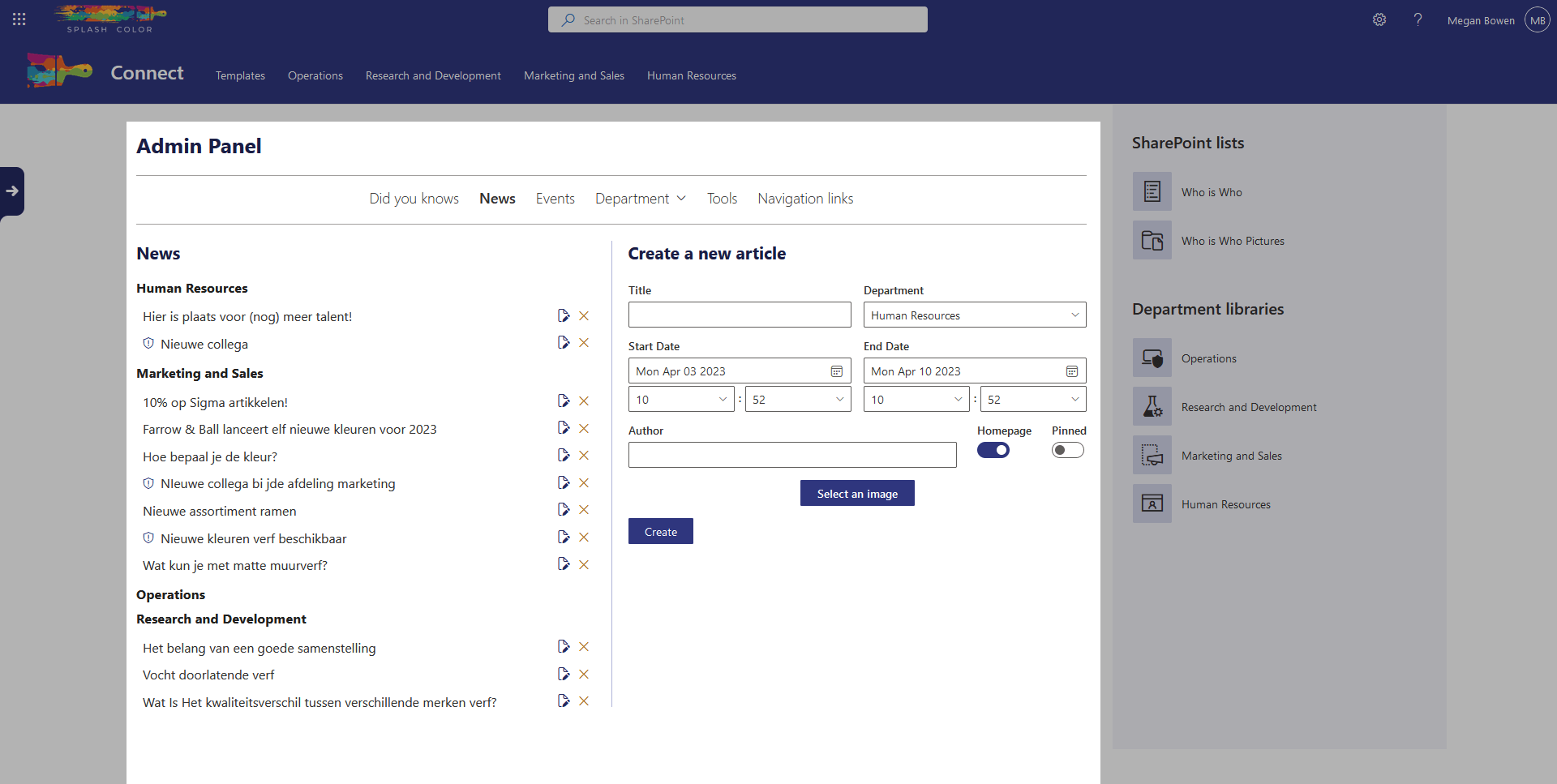
With the Admin Panel webpart, you can quickly and easily access an overview of most of the lists available on your site. This allows administrators to make any necessary adjustments and create new items with ease.
At the top navigation of the webpart, you'll find the lists you need to modify the most on the site. From here, you can easily navigate to any list you need to manage. And the best part? The browser remembers the page you were working on, so sharing a link with others will take them directly to the correct list.
In addition, the Admin Panel webpart ensures that all the resources required for a new item are created. For instance, when you create a news article, the site page where you can edit the content is automatically created and linked to the article. The webpart also offers a range of options for news articles and events, including choosing from a set of stock images, searching for images in SharePoint or OneDrive, and uploading your own.
The Admin Panel webpart is the ultimate solution for efficient list management. Say goodbye to endless clicking and searching and hello to a streamlined experience.
Architecture
Unlike other webparts that have a dedicated list to work with, this webpart allows you to manage multiple lists. It provides a seamless experience for managing content on the site and streamlines the process of creating, editing, and managing lists.
On GMI Sales, the webpart is integrated with several essential lists, including:
DidYouKnow: A list containing interesting facts and information about the company and its products.News: A list of company news, including product launches, updates, and industry trends.Events: A list of upcoming events, including conferences, webinars, and product demos.DepartmentHeadings: A list containing the department headings for the company.DepartmentShortcuts: A list of shortcuts for accessing specific departments quick links on the site.Tools: A list of useful tools for employees to use on the site.NavItems: A list of navigation items that provide quick access to essential features and content on the site.
Besides list management, the webpart also ensures that new images are uploaded, new folders are created, and new site pages are created.
Images that are uploaded can be found in the library Site Assets in folders named eventImages for events, newsImages for news articles, and toolImages for tools. The eventImages and newsImages folders each have a subfolder named cropped which contains the cropped version of the chosen image. This helps to save the original image and can be used later if the user wants to adjust the crop.
When a new folder is required for a shortcut, the webpart creates it in Shared Documents. Finally, for site pages, when a new page is required, it'll be created in the library Site Pages with a unique name specific to the item type. This makes it easy to identify what the page is needed for.
Overall, the architecture of the webpart provides a comprehensive solution for managing multiple lists, uploading images, creating folders, and creating site pages. It is a powerful tool that helps users to manage their content efficiently.