Department Shortcuts
The Department Shortcuts webpart is a handy tool for creating a list of all the links related to a specific department. Users can quickly access pages, folders, and other resources with just a click.
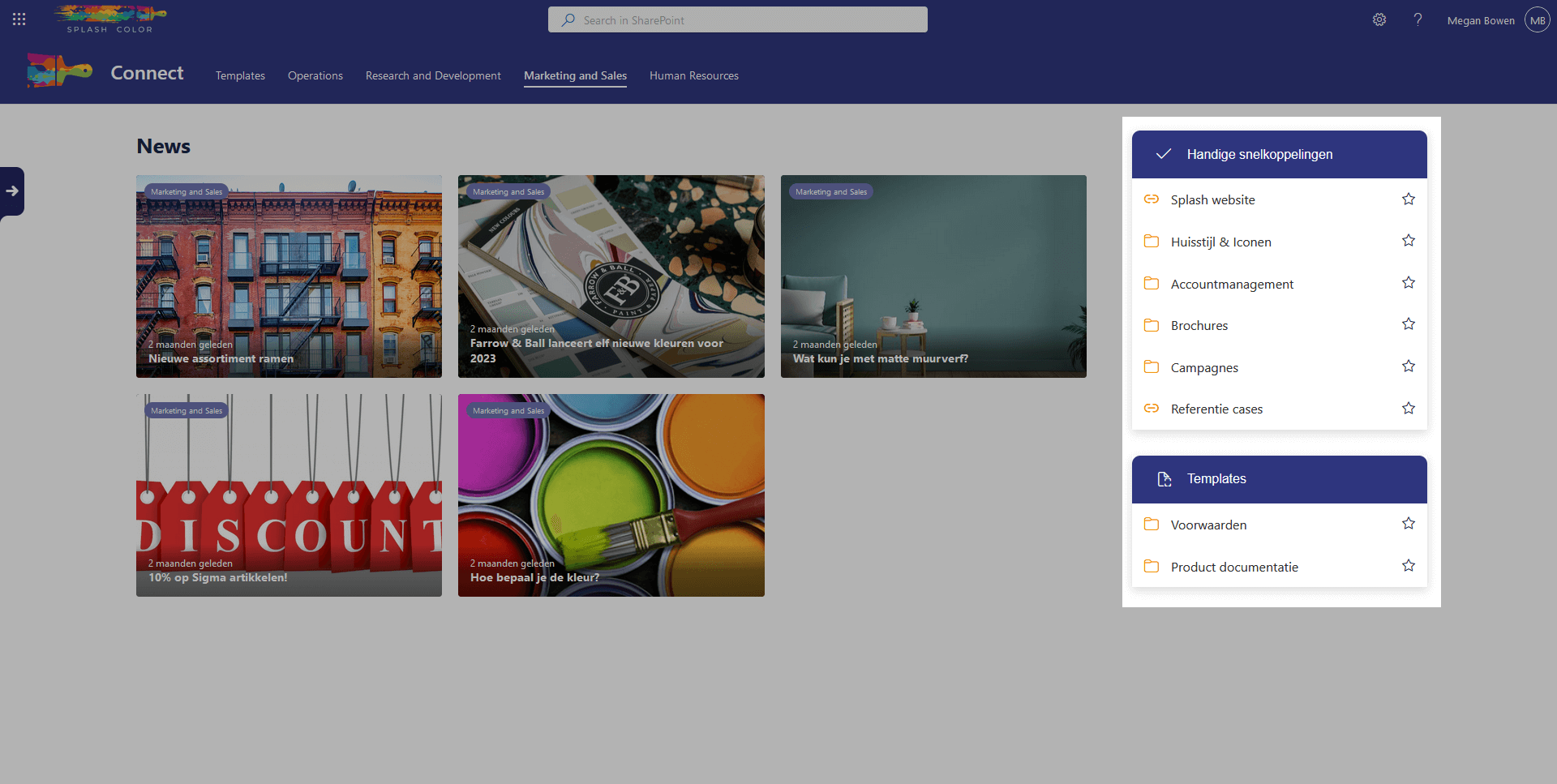
One of the key features of the Department Shortcuts webpart is the ability to favorite certain items. This allows users to quickly access their favorite links without having to search through the entire list.
The best part about this webpart is that it allows users to favorite certain items. These favorite items will appear in the Favorites webpart, which provides quick access to frequently used items.
With the Department Shortcuts webpart, users can customize their department's list of links, making it an invaluable tool for improving productivity and efficiency. It is the perfect solution for users who need to access specific pages and resources daily.
Architecture
The Department Shortcuts webpart is designed to make accessing department-specific resources easier. It achieves this through the use of two specific lists, namely DepartmentHeadings and DepartmentShortcuts.
In the DepartmentHeadings list, each item is linked to a department found in the SharePoint Term Store. This ensures that when a department is selected, all the correct headings related to that department are displayed. This makes it easy to navigate and find relevant resources quickly.
On the other hand, each item in the DepartmentShortcuts list is linked to a DepartmentHeading. This ensures that the shortcuts are organized under the correct heading and can be accessed easily.
Configuration options
Department term
Here you can select which department you want to see the shortcuts of